
Confused about your NBN Fibre Upgrade?
Getting a fibre-to-the-premises (FTTP) upgrade in Newcastle, Maitland or Cessnock? This is your plain-English guide — no jargon, no pressure. We explain what changes, what to keep, and what to check before install day.
From FTTN / FTTC to FTTP — what changes.
Fibre runs to a node or curb in your street. The rest is old copper phone wire.
A technician runs new fibre cable from the street to a small outside box, then inside to a Connection Box.
Your existing modem/router plugs into the new NBN Connection Box with an Ethernet cable.
You now get the full speed of your plan (up to 1000 Mbps) with no more copper bottleneck.
The questions our older customers ask most.
Written in plain language. If anything here doesn't make sense, please just call us — we're happy to explain over the phone with no obligation.
Call 1300 890 470One small hole (about pencil-thickness) is drilled through the outside wall to bring the fibre cable inside. It's sealed neatly afterwards. If we need to run internal cabling to a better room for your router, we go through cornices or floor voids so it stays tidy and out of sight.
The old copper phone line will be disconnected — usually 18 months after your fibre goes live. You can keep a phone by plugging it into the new NBN Connection Box (your provider can help), or move to a mobile phone. Please arrange a replacement before the copper is cut off.
Many medical alarms use the old copper line and can stop working after the upgrade. Call your alarm provider BEFORE install day to check compatibility. Most modern alarms can be re-wired to work over NBN or via 4G. Do not delay this step — it's the most important thing on this page.
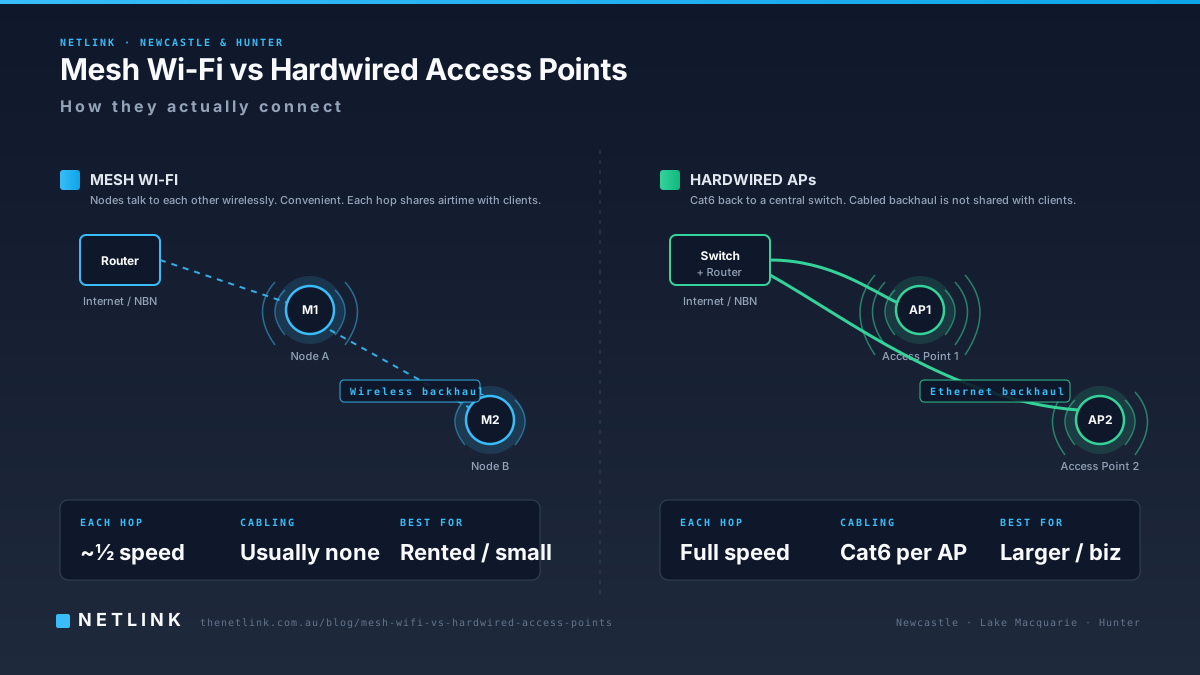
The NBN box might be installed in a different location than your current router. If so, your Wi-Fi could get weaker in some rooms. A short visit from a local tech can either move your router, add mesh Wi-Fi, or run a proper Ethernet cable to where you actually need it.
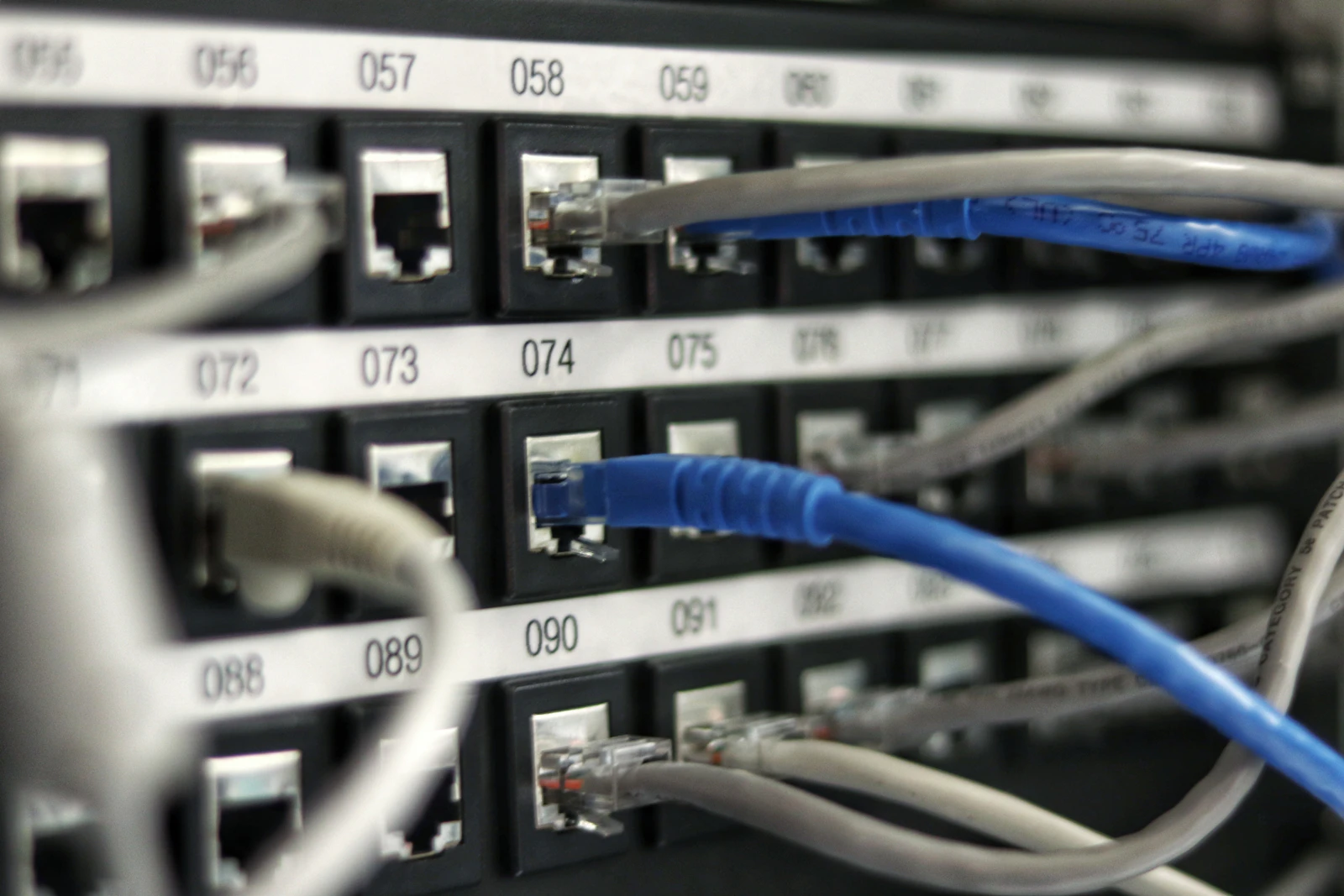
No — full rewires are rarely needed. Usually one or two neat Cat6 cable runs and a data outlet in the room you use most is enough. That's cheap, quick and done in a couple of hours.
Yes. Call us on 1300 890 470 — no obligation. We can read your letter with you, tell you exactly what to do next, and if you'd like, come to your home and check everything is ready for install day.
Confused about your Fibre Upgrade? Book a local visit.
We'll walk your property, check where NBN will drop the fibre, and move or add any internal cabling so your router ends up in the right room — before install day. Ideal for older homes, seniors, and anyone with a medical alarm to keep working.
Deep dives for Maitland, Cessnock & Newcastle.
Running a business? For pre-appointment commercial site assessments, see our NBN business upgrade and cabling consultation service.
Business Wi-Fi Keeps Dropping? A Newcastle Fix-It Guide
Mesh Wi-Fi vs Hardwired Access Points: Which Is Better?

Why is my Wi-Fi slow at home? A Newcastle troubleshooting guide

Cat6 vs Cat6A vs Fibre: What Should a Newcastle Business Install?
Commercial Data Cabling in Newcastle: A Builder's & Project Manager's Guide

Commercial CCTV for Warehouses & Factories in the Hunter — A Practical Buyer's Guide
NBN Enterprise Ethernet for Newcastle Businesses: Getting Your Building Ready

Construction Site Security Camera Hire in the Hunter: 4G, Solar & Rapid Deployment
What is the NBN FTTP Upgrade? A Plain-English Guide for Maitland Homes

Cessnock NBN Fibre Upgrade: What to Expect on Install Day
Do I Need to Redo My Home Wiring for NBN FTTP? A Newcastle Guide

NBN Fibre Upgrade Checklist for Seniors — Landlines, Medical Alarms & Wi-Fi
Where and when we roll for fibre-upgrade prep visits.
Newcastle & inner suburbs
Same-day to next-day site walks for FTTP-eligible addresses across Newcastle CBD, Cooks Hill, Hamilton, The Junction, Islington and Newcastle West. Most jobs are scoped, quoted and booked in the same visit. Our Newcastle catchment covers postcodes 2291, 2296, 2300, 2302 and 2303 as core same-day territory from our Boolaroo head office 15 minutes down the M1.
Lake Macquarie & Boolaroo HQ
Netlink's head office is on Concord Street, Boolaroo (postcode 2284), meaning Cardiff, Glendale, Charlestown, Warners Bay, Toronto and Belmont are almost always same-day site walks and next-week installs. Cardiff and Glendale are inside our 5-minute drive radius — you'll rarely wait longer than an afternoon for a scoping visit in this catchment.
Maitland, Rutherford & Thornton
Our regular Maitland run covers East Maitland, Rutherford, Thornton and Aberglasslyn on Tuesday and Thursday routes. Non-urgent fibre-upgrade prep visits get sequenced into the next scheduled run — usually within 3–4 business days. Emergency work outside the scheduled run is available on request.
Cessnock, Kurri Kurri & the wine district
On-site pre-FTTP scoping visits are typically available within 3–5 business days for Cessnock, Kurri Kurri, Weston, Kearsley and Bellbird. Pokolbin and the cellar-door strip get scheduled around vintage and wedding-season demand — book early if your visit falls between February and April.
Upper Hunter — Singleton & Muswellbrook
Scheduled fortnightly for non-urgent work. Emergency fault-find work is available on request, usually within 48 hours for critical business impact. Mining-support and power-station-support tenants get priority routing when a shift-critical fault is on the line — call 1300 890 470 rather than the online form for these.
Central Coast — project-scoped only
Netlink covers commercial multi-site work on the Central Coast on a project-scoped basis rather than one-off residential fibre upgrades. If you're a builder or PM with a Central Coast commercial job that needs Newcastle-standard cabling and CCTV work, we'll travel — get in touch with the site details and we'll return a scoped quote within two business days.