
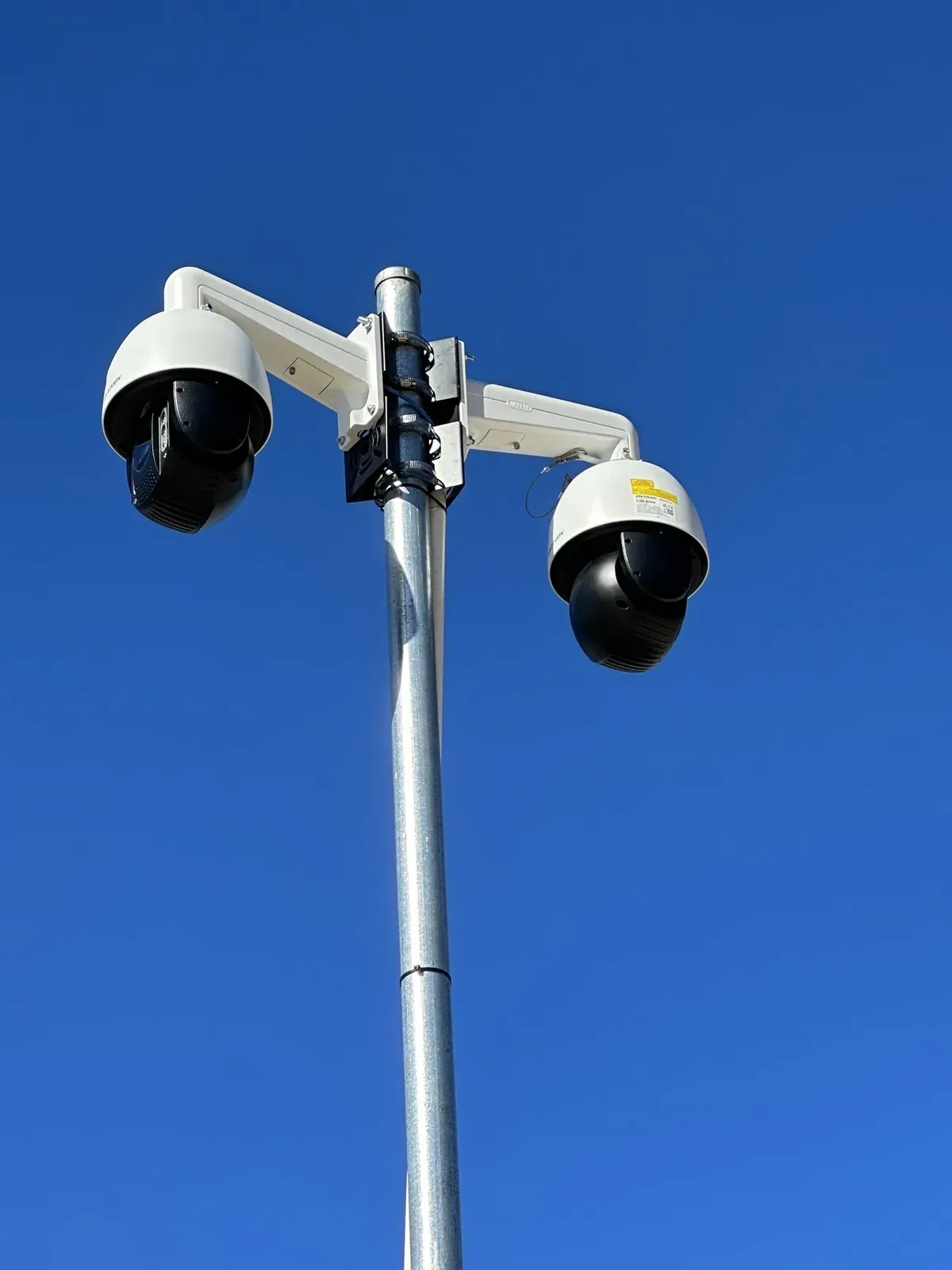
CCTV and Security Camera Installation in Newcastle & the Hunter
Netlink designs and installs security camera systems for homes, businesses, warehouses and commercial properties across Newcastle and the Hunter. Our licensed security professionals assess camera positions, blind spots, lighting, recording requirements and remote-viewing needs before recommending a system suited to the property.
We install wired IP camera and NVR systems, configure secure mobile viewing and provide practical handover training. Camera type, storage capacity and network design are selected according to the site rather than using the same package for every property.
Professional CCTV system design
Proper camera installation begins with coverage planning — not with counting cameras. Before quoting a system we walk the property and consider the following factors:
- Entry and exit points
- Driveways and vehicle access
- Front doors and side access
- Loading areas
- Cash-handling or high-value areas
- Warehouses and stock areas
- Lighting conditions
- Camera mounting height
- Identification versus general observation
- Blind spots
- Network and power availability
- Recording-retention requirements
Not every area can be covered with a fixed number of cameras. The right count and placement come out of the assessment.
A security camera system designed around your property.
Every CCTV install is scoped on-site so the equipment, cabling and configuration match the actual property. Cloud or off-site backup is not included unless the customer specifically requests and we supply that service.
- Site assessment and camera-position planning
- Camera and recorder recommendations
- Wired IP and PoE camera installation
- NVR installation and configuration
- Security-grade hard-drive installation
- Weather-resistant mounting
- Neat data cabling
- Camera naming and basic system organisation
- Motion, person or vehicle detection where supported
- Mobile and desktop viewing setup
- Recording and playback demonstration
- Basic customer training
- Testing and handover
- Existing-system assessment or upgrade where compatible
CCTV system options
"Wireless" does not always mean cable-free — most Wi-Fi cameras still need a power cable. The following table summarises the main options.
| System | Suitable for | Recording method | Important considerations |
|---|---|---|---|
| Wired IP cameras with NVR | Homes and businesses requiring reliable continuous recording | Local NVR hard drive | Requires structured cabling but offers dependable performance |
| Camera with microSD storage | Small standalone installations | Storage inside the camera | Recording capacity and redundancy are more limited |
| Wi-Fi security cameras | Locations where network cabling is impractical | Device, hub or cloud, depending on the product | Usually still requires power and depends on Wi-Fi quality |
| Solar 4G camera hire | Temporary construction and remote sites | Device or managed platform, depending on the hire system | Treated as a separate hire service — see /camera-hire |
Solar 4G construction site cameras are handled as a separate hire service — see /camera-hire.
NVR versus camera-only recording
An NVR (Network Video Recorder) is a dedicated device that receives video from every wired IP camera on the system and stores it on security-grade hard drives. It provides centralised, searchable recording, a single point of playback and easier long-term retention.
Continuous vs event recording
Continuous recording captures every second and never misses movement, at the cost of more storage. Event recording only writes footage when motion, person or vehicle detection triggers, which uses far less storage but is only as good as the detection settings. Many sites run a mix.
When microSD-only makes sense
A single doorbell or standalone camera can record to a microSD card inside the device. It is cost-effective and simple, but capacity is limited, redundancy is limited, and the card sits with the camera — not a great outcome if the camera itself is damaged or removed.
When an NVR is the better long-term option
Multiple cameras, longer retention, business use, high-value premises and any site where evidence retrieval matters generally justify a proper NVR — not because one option is right for every customer, but because the storage design is what makes retrieval possible.
Camera types
Each camera type is best at a different job. Analytics such as facial recognition, licence-plate recognition, two-way audio and advanced object detection are only available on selected products — we do not claim these features on every install.
Understanding camera features
- 4MP vs 8MP resolution — higher resolution helps, but only up to the practical limit of the scene and camera position.
- Infrared night vision — black-and-white images in the dark using invisible IR light.
- Low-light colour imaging — colour images in low light with a more sensitive sensor or a discreet white light.
- Wide Dynamic Range (WDR) — helps balance bright and dark parts of the same scene, useful for entrances.
- Person and vehicle classification — reduces false alerts from animals or wind-blown vegetation.
- Motion detection and line-crossing / intrusion alerts — event triggers, subject to setup and camera capability.
- Built-in microphones and two-way audio — available on selected models; audio use may carry additional requirements.
- Active lights and audible warnings — deterrence features on selected products only.
- Weather-resistance ratings — should suit the actual mounting environment.
- H.265 or newer compression — smaller file sizes for the same image quality.
Image quality depends on camera position, lens selection, lighting, distance, recording settings and the selected product — not on resolution alone.
Recording storage and retention
How many days of recording an NVR can hold depends on a combination of factors, not a single fixed number:
- Number of cameras
- Resolution
- Frame rate
- Bitrate
- Compression
- Continuous vs event recording
- Hard-drive capacity
- Scene activity
Any estimate provided during a quote is an estimate — actual retention depends on the assumptions above. We size the storage to hit a realistic retention target for the site.
Remote viewing and cyber security
Netlink configures remote viewing — the customer views their own cameras via a secure mobile app, gets push notifications and can play back recordings. This is not the same as a professionally staffed monitoring service, and we do not provide 24/7 alarm response.
How remote access is set up
- Customer mobile-app viewing on iOS and Android
- Push notifications for supported events
- Remote playback of recorded footage
- Multi-user login where multiple users need access
Sensible cyber-security practices
- Unique passwords
- Multi-factor authentication where supported
- Current firmware at handover
- Supported equipment (no unsupported end-of-life devices)
- Controlled user access — one login per user
- Secure router and network configuration
- Removal of unused accounts
- Avoid unnecessary direct internet exposure of the recorder
Ongoing firmware maintenance and off-site backup are not included by default. Ask if you require a support agreement.
Residential CCTV installation
For homes across Newcastle, Lake Macquarie and the Hunter, a good residential system usually covers:
- Driveway coverage
- Front and rear doors
- Side access
- Garages
- Detached sheds
- Night-time performance
- Mobile viewing
- NVR location (usually a cool, ventilated, lockable spot)
- Protecting customer privacy
- Minimising visible cabling
Commercial CCTV installation
For businesses — retail, warehouses, workshops, offices, strata common areas and multi-site operations — CCTV usually sits alongside the site's structured cabling, network and access control:
- Retail stores
- Warehouses
- Offices
- Workshops
- Strata and common areas
- Multi-site systems
- Communications racks
- Network switches (PoE budget)
- User permissions
- Longer retention requirements
- Integration planning
- Maintenance access
- Business continuity
Netlink can deliver the full CCTV, structured cabling and network side together — commercial cabling, intercom installation, security alarms. Integration between different manufacturer platforms is only offered where confirmed compatible.
Responsible camera placement
Camera placement and use must respect applicable privacy, surveillance and workplace requirements. In practice this means:
- Cameras should be positioned for a legitimate security purpose.
- Audio recording may be subject to different requirements from video recording.
- Businesses using workplace surveillance may have additional obligations.
- Customers remain responsible for how footage is collected, accessed, retained and disclosed.
Netlink can assist with practical camera placement but does not provide legal advice.
How the installation runs.
Factors affecting cost
Rather than a single package price that will not match many properties, the quote considers the following:
- Number and type of cameras
- Camera resolution and features
- NVR channel capacity
- Hard-drive size
- Cable-route length
- Roof and ceiling access
- Building construction
- Installation height
- Network upgrades
- Trenching, conduit or specialist mounting
- Existing-system compatibility
- Regional travel
- Commercial documentation or access requirements
Available brands and product selection
Netlink supplies and installs multiple commercial IP camera and NVR platforms — including Hikvision, Dahua and Uniview — and the right choice depends on the site, the required features and the customer's procurement preferences. These are presented as options, not exclusive recommendations.
Product selection typically depends on:
- Customer budget
- Required features
- Existing equipment
- Cyber-security requirements
- Client procurement restrictions
- Environmental conditions
- Product availability
- Warranty and support requirements
Analytics, mobile apps, audio features and integrations vary by brand and model. We only claim a feature on your quote if the selected product genuinely supports it.
A security camera system designed around your property.
NSW Security Master Licence M/L 00110958 is a company licence. ACMA cabling registration covers structured cabling work and does not replace the required security-industry licensing for CCTV installation.
Anonymised project examples — coming soon
Netlink is compiling a small set of anonymised recent CCTV installs — suburb or general service area, property type, security concern, camera types selected, recording solution and cabling / mounting approach. Verified examples will be added here as they become available. No customer names, addresses, faces, number plates or serial numbers will ever be published.
Where Netlink installs CCTV
Netlink installs CCTV across Newcastle, Lake Macquarie, Maitland, Cessnock, Port Stephens, Dungog, Singleton, Muswellbrook and the wider Hunter region.
Book a related service on the same visit
Wired and wireless alarms with keypads and mobile arm/disarm.
Video and IP intercoms with mobile-app answer and gate integration.
CCTV installation FAQs
What type of CCTV system is best for a home?
For most Newcastle homes, a wired IP camera and NVR system is the most reliable option — 4–8 cameras covering entries, driveways and side access, with continuous recording to a local hard drive and mobile viewing on the customer's phone. The right choice depends on property layout, network availability and the customer's priorities.
What is the difference between wired and wireless security cameras?
Wired cameras use a single Cat6 cable for both data and Power over Ethernet, and record to an NVR. 'Wireless' Wi-Fi cameras avoid the data cable but usually still need a power cable, and depend on the strength and reliability of the property's Wi-Fi. Wired systems are more reliable for permanent installations; Wi-Fi is useful where cabling is genuinely impractical.
Do I need an NVR for one security camera?
Not necessarily. A single camera can record to its own microSD card or to a small local device. If more cameras may be added later, or continuous recording and centralised playback matter, starting with an NVR is usually the better long-term option.
How many cameras will my property need?
It varies. Camera count is determined by coverage — entries, driveways, blind spots, high-value areas — rather than by a fixed package. A site assessment gives an accurate answer based on the actual property.
Can I view my cameras remotely?
Yes. Netlink configures secure mobile-app viewing, push notifications and remote playback for the customer. This is remote viewing by the customer — not the same as a professionally staffed monitoring service.
Does CCTV continue recording if the internet goes down?
A local NVR continues to record to its own hard drive during an internet outage. Only remote viewing on the customer's phone is affected while the internet is down. Wi-Fi cameras that rely on the cloud may behave differently depending on the product.
How long can an NVR retain recordings?
Retention depends on the number of cameras, resolution, frame rate, bitrate, compression, whether recording is continuous or event-based, and the hard-drive capacity. We size the storage against the customer's retention goal rather than promising a fixed number of days.
Can Netlink upgrade an existing camera system?
In many cases yes. We assess the existing cabling, cameras and recorder for compatibility. Some brands and older analogue systems are not upgradeable and are better replaced; we advise on this during the site visit.
Do security cameras record audio?
Some cameras include a built-in microphone or two-way audio. Audio recording may be subject to different requirements from video recording — customers remain responsible for how audio is captured, stored and disclosed at their property.
What is the difference between infrared and colour night vision?
Infrared cameras produce black-and-white images in the dark using invisible IR light. Colour-night-view cameras use a more light-sensitive sensor and/or a discreet white light to keep images in colour at night. Both have strengths — the right choice depends on the scene, camera position and lighting.
Do you install cameras for warehouses and commercial properties?
Yes. Netlink installs CCTV for retail stores, warehouses, workshops, offices, strata common areas and multi-site businesses across Newcastle and the Hunter, alongside communications-rack, network switch and user-permission configuration.
What affects the cost of CCTV installation?
Number and type of cameras, camera resolution and features, NVR channel capacity, hard-drive size, cable-route length, roof and ceiling access, building construction, installation height, network upgrades, trenching / conduit / specialist mounting, existing-system compatibility, regional travel and commercial documentation or access requirements.
Which areas does Netlink service?
Newcastle, Lake Macquarie, Maitland, Cessnock, Port Stephens, Dungog, Singleton, Muswellbrook and the wider Hunter region.
Request a tailored CCTV quote
Serving Newcastle, Lake Macquarie, Maitland, Cessnock, Port Stephens and the wider Hunter region.