
Cessnock NBN Fibre Upgrade: What to Expect on Install Day
You've booked your Cessnock NBN fibre-to-the-premises (FTTP) upgrade — the letter says a technician will attend on a specific date. What actually happens? Here's a stress-free walk-through so nothing catches you off guard. This guide is written specifically for Cessnock and the surrounding suburbs — Kurri Kurri, Weston, Kearsley, Bellbird, Cessnock Heights and the residential streets around the CBD.
Before the day: your checklist
- The install window is usually 4 hours (morning OR afternoon). Someone over 18 must be home for the entire window, not just the arrival time — the tech can't leave the site until the service is activated.
- Clear a path to the electricity meter box outside — that's where the outside NBN box (the PCD, or Premises Connection Device) is usually installed. Ideally have 1.5 metres of clear working space in front of the meter.
- Decide where you want your router to live. That's where the inside NBN Connection Box (NCD) should go too. Have this conversation with your family before install day so nobody's surprised.
- If the connection point inside will be in a hard-to-reach spot, move any furniture, garden items, storage boxes or trip hazards that might be in the way.
- Charge your phone. If the tech needs to consult you on cable-routing decisions and you're deep in the garden or on a ladder, you'll want to be reachable.
On arrival: what to expect
The NBN technician will introduce themselves and ID themselves — Cessnock techs generally arrive in a white NBN Co-branded ute. They'll confirm the property details, the account number, and the internet plan you've signed up for with your provider. They'll do a quick walk-around outside and inside to plan the cable route from the street to your preferred internal location. In Cessnock most jobs run the fibre either aerial (from an overhead pole to a bracket on your roof line) or underground (from a small pit near your driveway), depending on the street's existing infrastructure.
The technician will confirm with you where the outdoor PCD box will mount (usually next to your meter box, on the same wall) and where the indoor NCD box will mount. If you have concerns about the indoor location — for example, it's the wrong room, or too far from where the router should live — say something now. Once the fibre is spliced and the box is mounted, moving it later becomes a separate paid job.
The install itself
The technician mounts the small outdoor PCD box on the exterior wall using screws into the wall frame (never just into the render). They drill a small hole — about the size of a pencil — through the wall from outside to inside, feed the fibre through, and seal both sides with silicone to keep water and insects out. They terminate the fibre inside at the NBN Connection Box (NCD), power it on, and provision the service with your internet provider's network. This provisioning step can take 15–30 minutes; sometimes the tech will have to make a phone call to the provider to complete the activation.
When the service is live, the tech hands you a completion slip confirming the work is done and the service is active. If you gave your internet provider prior notice about the upgrade, your normal service should activate within a few hours. Sometimes it's live the moment the tech leaves; sometimes it takes a couple of hours for the provider's system to catch up. Don't panic if it takes a while.
After the tech leaves: getting online
Plug your existing router into the new NBN Connection Box's UNI-D port with an Ethernet cable — the tech will supply one if you don't have it. UNI-D 1 is the default; if that doesn't work, try UNI-D 2 or 3 (only rarely needed). Restart your modem and give it a full 5 minutes to reboot and negotiate the connection. Then run a speed test — you should see the full speed of the plan you signed up for, or something very close to it.
Wi-Fi coverage depends entirely on where the router now sits. If the router has ended up in the garage or a corner, book a local tech to move the router into a better location. Running a single Cat6 Ethernet cable from the NBN Connection Box to a wall outlet in your main living area is by far the most cost-effective Wi-Fi coverage fix.
Cessnock-specific tips
- Aerial connections in Cessnock: many Cessnock streets have overhead power/telecom lines. The fibre lead-in will usually come off the same pole your existing telephone service does, which means the outdoor NBN box tends to end up on the same wall as your existing phone entry point.
- Underground connections around Cessnock Heights and newer developments: the connection will come from a small pit near your driveway or nature strip. Make sure the tech has clear access to that pit — no cars parked over it, no garden pots.
- Kurri Kurri and Weston homes: many are on larger blocks with the NBN meter position further from the main living space than average. If that's you, definitely plan for a Cat6 run to the living room before install day.
- Cessnock CBD apartments and units: strata approval may be required before external work happens. Check with your strata manager before your install date.
What if there's a problem?
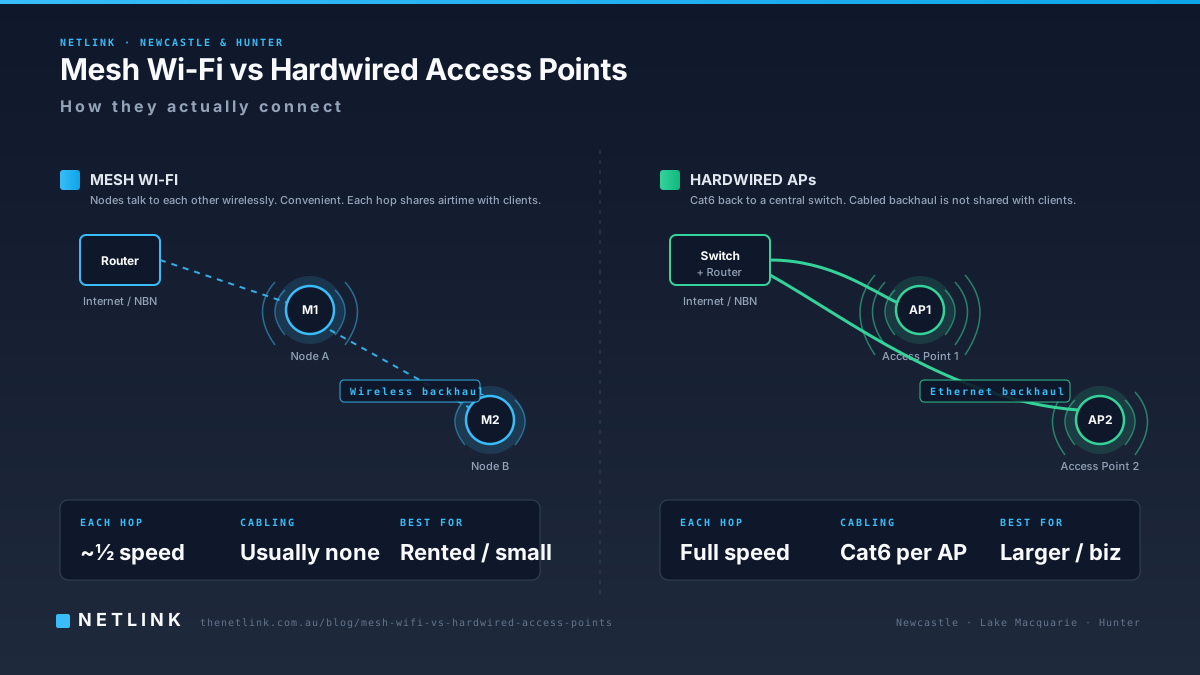
The most common Cessnock issue we see: the NBN box ends up somewhere inconvenient, or the old internal telephone wiring can't be reused. A short visit from a local cabler can move the connection to a better location, add proper Cat6 data outlets to the rooms that need them, or install a mesh Wi-Fi system with wired backhaul. Netlink covers Cessnock, Kurri Kurri, Weston, Kearsley and Bellbird on regular runs — call us on 1300 890 470 to book.
Book a home visit before install day so your router ends up where you actually need it.
Questions from Newcastle & Hunter businesses
What time will the Cessnock NBN technician arrive?
Install windows are usually AM (typically 8am–12pm) or PM (typically 12pm–4pm). NBN Co doesn't confirm the exact arrival time until the day, but the technician will call ahead when they're 30–60 minutes away.
Do I need to move furniture?
You need to clear a path from the outside of the house to wherever the NBN Connection Box will go inside — usually about 1.5 metres of clear working space. If the box is going into the garage or under-house, clear items away from that area too.
Can they run the fibre underground?
In some Cessnock streets, yes — where NBN Co has installed underground conduit and pits during the fibre rollout. In other streets, the connection to your house will be aerial (from the pole to a bracket on your roof or eave). The technician will decide the best route on the day based on what's available.
What if it rains on my install day?
Light rain usually goes ahead. Heavy rain, storms or lightning will cause the technician to postpone — for their safety on ladders and for the safety of the fibre splicing gear. NBN Co will reschedule you at no cost.
Will the fibre cable be visible on the outside of my house?
A short run from the street pole to the outdoor NBN box will be visible if the connection is aerial, but the technicians install it neatly and clip it along existing eave lines. Underground connections are entirely hidden.
Can I use the internet while they work?
Not for the last 30–60 minutes of the visit, when the copper service is being disconnected and the new fibre is being activated. Have a mobile hotspot ready if you need to send anything urgent during that window.